EmbroViewer SVG to DST converter
Guide

EmbroViewer / SVG to DST converter

SVG to DST converter

Convert vector SVG logos to DST embroidery files online. Set size, density and underlay, preview stitches, then export and test-sew. Free.

Free · private · no account

Open an embroidery file

Drag files anywhere in this window, or pick them from your computer. Everything is read in your browser — nothing is uploaded.

DST · PES · PEC · JEF · EXP · VP3 · HUS · XXX · U01
colour files: COL · EDR · INF · or drop an SVG to digitize
How it works, supported formats & FAQ ↓

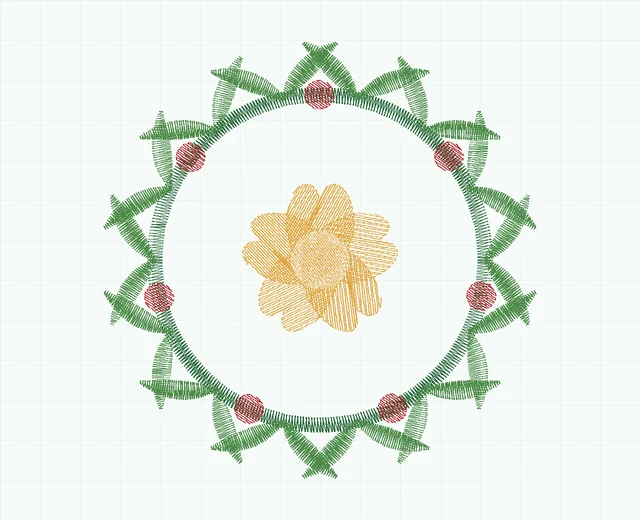
Fern wreath embroidery stitch preview showing 5 colour blocks
Fern wreath · stitch simulation10,478 stitches · 5 colour blocks · 78.6 × 79.2 mm
0 / 0 100%

SVG to stitches

Digitizing works from the vector outlines in your SVG, so edges come out exactly as drawn. A stroked path becomes a satin column of that path's own width; a filled shape gets underlay, angled fill rows and a sealed edge; narrow filled shapes — outlined lettering — are found and satined across the stroke. Export from Illustrator, Figma, Inkscape or Affinity with text converted to outlines.

Artwork nothing loaded

Drop an .svg file here.

vector only — PNG and JPEG are not digitized

Stitch settings

—
0.42 mm
3.2 mm
Advanced
9.0 mm
0.9 mm
1.0 mm²
0.12 mm

Load an SVG to start.

Free · private · no install

SVG to DST converter — free and online

Turn vector artwork into a DST stitch file. Drop an SVG into the converter above, set the size, and EmbroViewer digitizes it into real stitches — fills with underlay, satin columns for strokes and lettering — then lets you preview the sew-out and save a DST (or PES) file.

How the converter digitizes your SVG

How to convert SVG to DST

  1. Scroll up — the Convert tab is already open. Drop your .svg file in, or click Choose SVG.
  2. Set the design width in mm, then adjust density and stitch length if needed.
  3. Click Generate stitches and check the notes for anything too thin to sew.
  4. Open the result in the viewer to play the sew-out, then save it as DST.

New to this? Read how to prepare an SVG for embroidery.

What the SVG to DST converter accepts

Use SVG paths, filled shapes and strokes at the final design size. Convert live text to outlines and remove embedded bitmap images. PNG/JPG conversion, Wilcom EMB export and PES-to-DST conversion are not available here. Check generated travel stitches and sew a test on matching fabric before using the file for a customer job.

Prepare vector artwork for embroidery.

Example of vector artwork turned into stitches

Vector badge embroidery stitch preview showing 7 colour blocks
Vector badge · stitch simulation4,015 stitches · 7 colour blocks · 120.4 × 57.2 mm

This is a simulation of the bundled vector badge, rather than a photograph of embroidery. Download the sample artwork and stitch files to inspect the workflow.

Private: your file is never uploaded

EmbroViewer reads the file with code running in your own browser. Nothing is sent to a server, there is no sign-up, and it works on Windows, Mac, Chromebook, iPad and Android.

Frequently asked questions

Can I convert a PNG or JPG to DST?

Not directly — EmbroViewer digitizes vector outlines, not pixels. Trace the image to SVG first (Inkscape's Trace Bitmap or Illustrator's Image Trace), simplify it, then convert.

Why is my text missing after converting?

Live SVG <text> is skipped. Convert text to outlines/paths in your design program before exporting the SVG.

Is auto-digitizing as good as a hand digitizer?

It is a strong starting point for logos and simple artwork. For critical work, sew a test on scrap fabric first; complex designs still benefit from a professional digitizer.

What size should I set?

Set the real width you want on the garment, for example 90 mm for a left-chest logo. Details narrower than about 1.2 mm at that size are flagged because they will not sew cleanly.

Other embroidery tools

Guides

Last updated 2026-09-30

Release to load