EmbroViewer U01 file viewer
Guide

EmbroViewer / U01 file viewer

U01 file viewer

Open Barudan U01 embroidery files online. Inspect the stitch path, dimensions and needle-change sequence in your browser. Free and private.

Free · private · no account

Open a Barudan U01 file

Drag files anywhere in this window, or pick them from your computer. Everything is read in your browser — nothing is uploaded.

DST · PES · PEC · JEF · EXP · VP3 · HUS · XXX · U01
colour files: COL · EDR · INF · or drop an SVG to digitize
How it works, supported formats & FAQ ↓

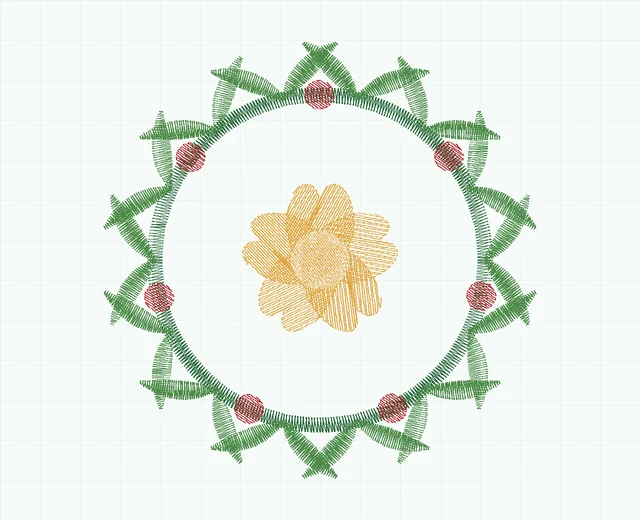
Fern wreath embroidery stitch preview showing 5 colour blocks
Fern wreath · stitch simulation10,478 stitches · 5 colour blocks · 78.6 × 79.2 mm
0 / 0 100%

SVG to stitches

Digitizing works from the vector outlines in your SVG, so edges come out exactly as drawn. A stroked path becomes a satin column of that path's own width; a filled shape gets underlay, angled fill rows and a sealed edge; narrow filled shapes — outlined lettering — are found and satined across the stroke. Export from Illustrator, Figma, Inkscape or Affinity with text converted to outlines.

Artwork nothing loaded

Drop an .svg file here.

vector only — PNG and JPEG are not digitized

Stitch settings

—
0.42 mm
3.2 mm
Advanced
9.0 mm
0.9 mm
1.0 mm²
0.12 mm

Load an SVG to start.

Free · private · no install

U01 file viewer — free and online

Preview a Barudan U01 embroidery file without a desktop viewer. Inspect the sewing path, design size and change sequence before transferring the design to your machine.

What is a U01 file?

U01 is a Barudan stitch format. Its control commands can include needle selections as well as stitch movements. A needle number is not a physical thread colour.

Assign the displayed colour blocks to match your machine's threading and keep your needle assignment sheet with the design. This viewer is an inspection aid, not a replacement for a Barudan machine's supported-format requirements.

How to open a U01 file online

  1. Scroll up and click Open files, or drag your .u01 file anywhere onto the page.
  2. The design appears instantly. Zoom with the mouse wheel, drag to pan, press Space to play the sew-out.
  3. Choose your hoop from the hoop menu to check the fit, and open Stats for stitch count, size, colours and run time.
  4. Save a PNG preview or the thread list if you need to share it.

What you can check

Machines: Barudan machines that support U01. Model-specific settings and needle assignments still apply.

Private: your file is never uploaded

EmbroViewer reads the file with code running in your own browser. Nothing is sent to a server, there is no sign-up, and it works on Windows, Mac, Chromebook, iPad and Android.

Frequently asked questions

Does a U01 preview tell me which threads are on my machine?

No. Match the change sequence to your needle assignment sheet and the threads actually loaded.

Can I convert DST to U01 here?

Not currently. EmbroViewer views supported stitch formats and exports DST/PES from SVG artwork.

Can I check the design's dimensions?

Yes. Width and height are shown in mm or inches, with a selectable hoop outline for reference.

Other embroidery tools

Guides

Last updated 2026-09-30

Release to load